Karen Viana

Hey, I’m Karen, a Product Designer.

With 15+ years of experience, I specialise in crafting intuitive, user-centric UX/UI solutions. I’m a proactive problem solver who values simplicity, clarity, and collaboration to deliver meaningful digital experiences.

Design System lover and advocate, and early AI adopter exploring how intelligent tools can enhance creativity and efficiency.

Peritas.ai · Healthcare AI

AI Surgical Intelligence

Designing AI-powered experiences and a scalable design system for perioperative and sterile processing teams. Designs will be published soon.

IG Group · Fintech · Mobile

Investment App

Led the end-to-end design of a new investment app, from early discovery to polished UI.

Sopra Banking · Back office · Data dashboard

KYC Verification

Streamlined the verification process to ensure compliance and reduce fraud.

Sopra Banking · B2B SaaS · Design system

SaaS Design System

Designed and managed a scalable DS for a B2B SaaS web application, ensuring consistency, efficiency, and scalability.

Sopra Banking · Fintech · Mobile

Enhancing Transaction Search

Redesigned the transaction list experience to improve usability and help users find information faster.

Utility Warehouse · Design system

Mobile-First DS

Spearheaded the creation and implementation of a robust design system to unify products and accelerate delivery.

Case study · IG Group
IG GroupFintechiOS · Android · Web

Investment App

Simplifying investing for new European markets, starting with France.

RoleSole Product Designer
ScopeResearch → UI → design system
Outcome1k users, first month

01The problem

IG Group wanted to bring its UK investment offering to Europe, starting with France. The UK app was built for traders: complex, full of jargon and intimidating for new investors. The challenge was a mobile-first app for iOS and Android, made for French investors.

One key constraint: technical dependencies meant the account page couldn't change. I had to design the rest of the app around it and still keep the experience cohesive.

Success metric: strong adoption, with 1k users in the first month.

02Competitor analysis

I started by analysing how other investment apps balance accessibility and advanced features. This gave me benchmarks for navigation patterns, dashboards and onboarding flows.

03Research and navigation

I ran discovery interviews with investors in France, Germany and Spain. People consistently said the UK app felt overwhelming, even "elitist". Their main needs were clear dashboards, simple onboarding, and transparency on costs and portfolio performance.

In response, I restructured navigation into one clear flow: login → overview → search → market details → deal ticket → review. The portfolio dashboard became the central hub. Proof-of-concept flows covering three levels of navigation guided the usability tests and validated the information hierarchy.

04User testing and validation

I ran usability sessions with French users of the IG UK app to validate flows before launch. I used Claude to analyse the qualitative feedback and surface recurring patterns, and Figma Make to build interactive prototypes faster. Together these shortened the step from raw feedback to the fixes below.

Issue observedImpact on usersIteration / fix
Euro symbol missingConfusion about pricingAdded the currency symbol consistently
Order expiry unclearUsers missed expiry detailsHighlighted order expiration in the deal flow
P&L timeframe not obviousMisunderstood performance figuresClarified timeframe labels in the portfolio
Account page limitationFelt inconsistent with the new UIDesigned surrounding flows to feel cohesive

05Results

The redesigned app launched successfully in France. The simpler onboarding and dashboard-first approach drove early adoption, and the app reached 1k users in its first month in a competitive market.

06Try the prototype

Tap through the core journey I designed: welcome → overview → search → market details → deal ticket → review. It's rebuilt in code from the final designs, with sample data. Switch the theme to see the token-based dark mode.

07Design system

To make the product scalable, I created a design system with reusable tokens, variables and components. It supported both mobile and web, sped up delivery and kept the brand consistent for future European launches.

08Dark mode and accessibility

I added dark mode on the same token architecture, so colours adapt across themes without extra component variants. I also applied WCAG standards to colour contrast, typography and interaction states, so the system is accessible by default and needs less rework from designers and developers.

09Learnings

Case study · Utility Warehouse
Utility WarehouseDesign systemiOS · Android · Web · Figma

Mobile-First DS

Building a scalable design system

01Situation

Utility Warehouse was preparing for a new visual identity, but their legacy design system was fragmented, inconsistent, and hard to maintain. Designers often recreated components from scratch, while developers lacked clear standards or documentation. Scaling design across mobile and web products had become inefficient.

This challenge presented an opportunity to rebuild the system from the ground up — with a mobile-first approach to support the rebrand and future product growth.

02My role

As the Senior Design System Designer, I led the initiative by:

03Process

1. Auditing the legacy UI
I began with a comprehensive audit of components across products, surfacing redundancies and inconsistencies in typography, colour, spacing, and interactions.

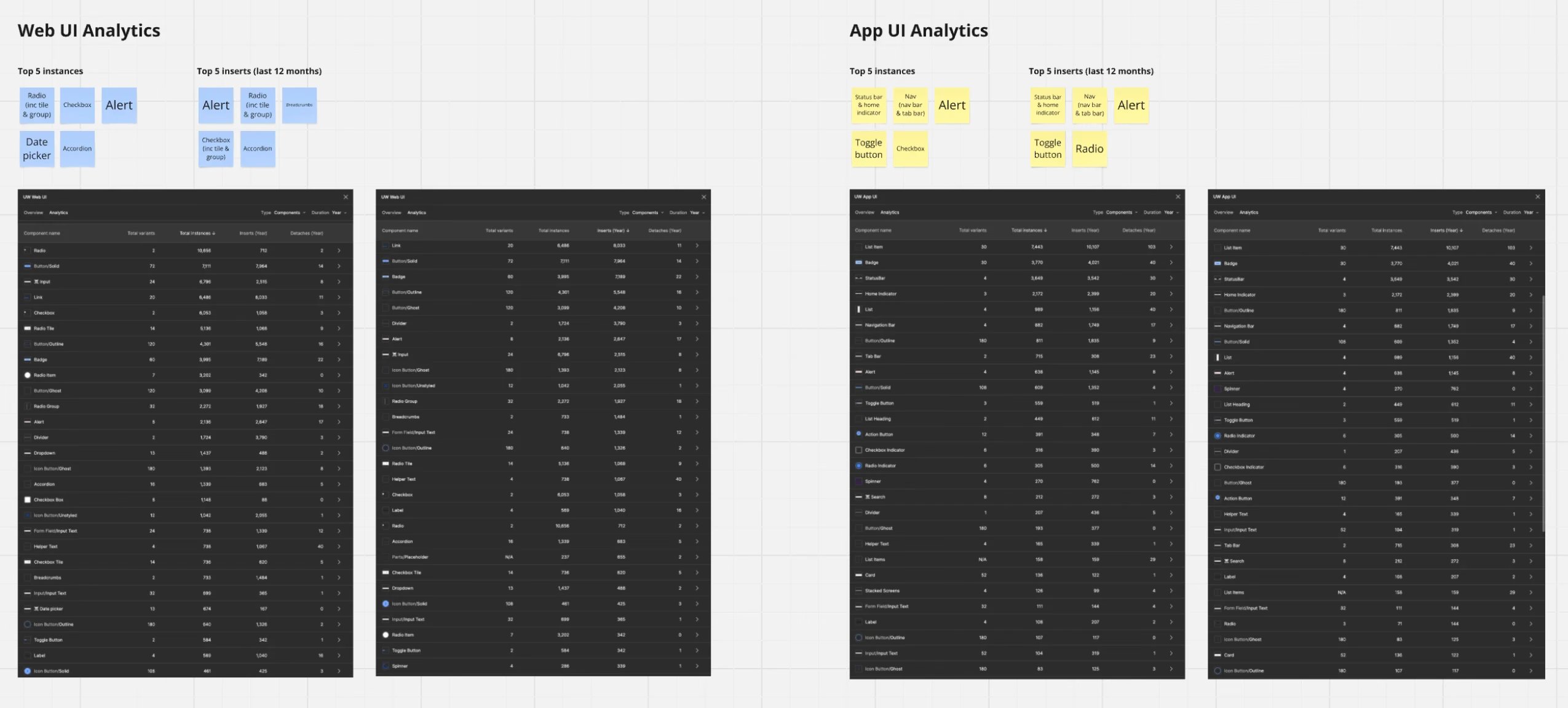
To support this process, I also leveraged AI tools like GPT to analyse and compare usage across the Figma libraries. This allowed me to identify which components were most frequently used, which were redundant, and where gaps existed — helping me prioritise the highest-impact work for the first delivery phase.

Audit of legacy components across Figma libraries

2. Planning the system
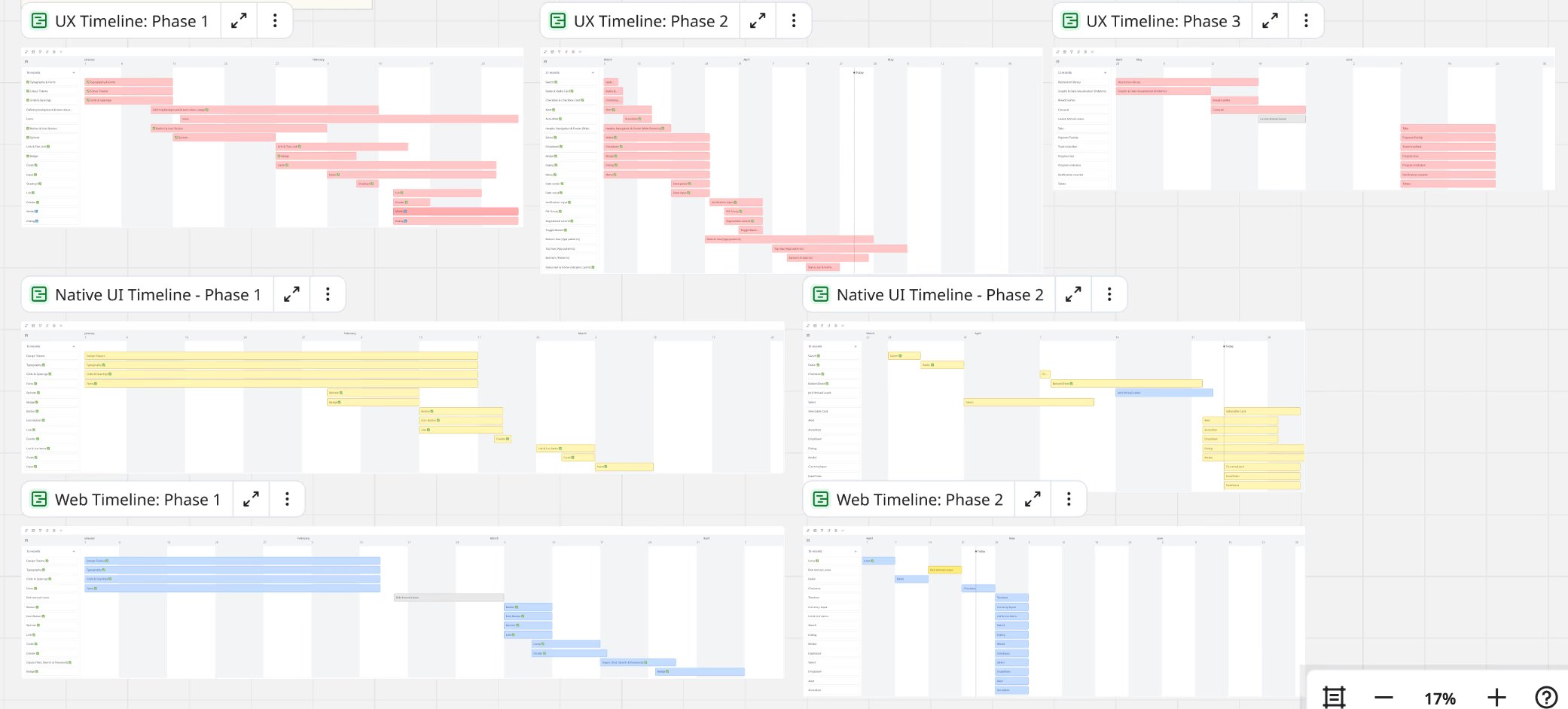
Created a phased roadmap to prioritise delivery:

Phased roadmap for the design system

3. Defining foundations
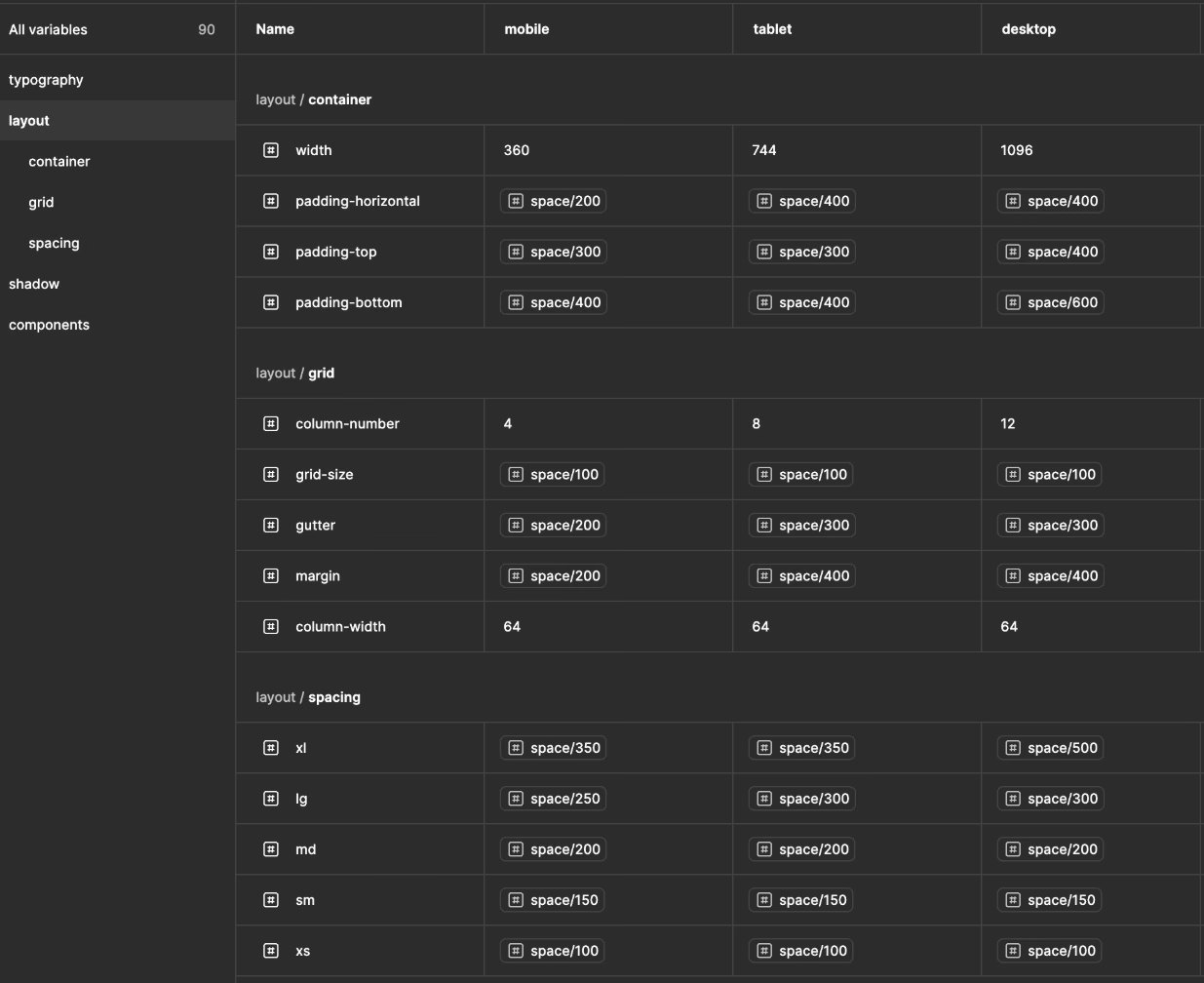
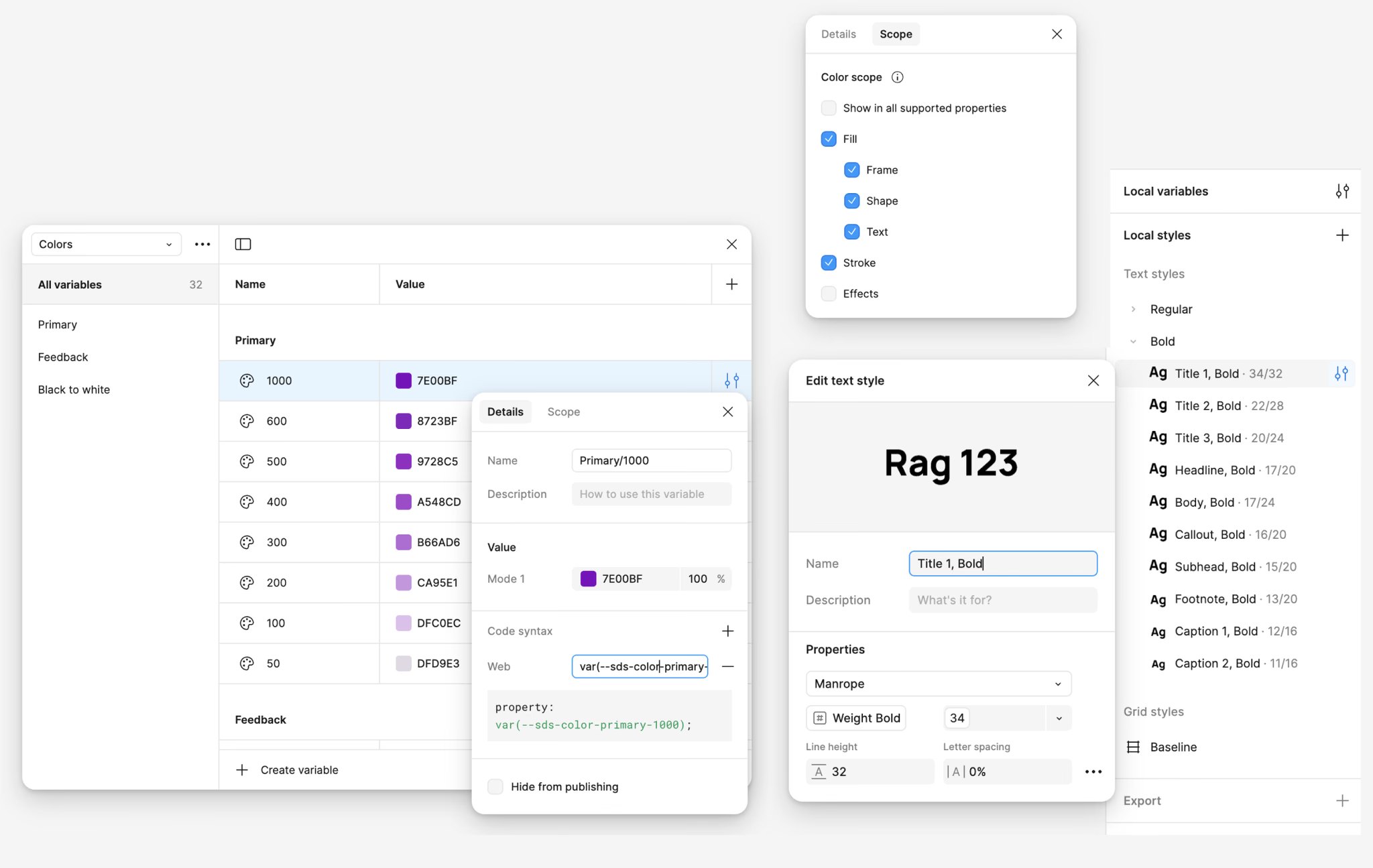
Established design tokens for typography, colour, spacing, and motion. Accessibility was embedded into every layer — from semantic colour naming to scalable typography.

Design tokens for typography, colour, spacing and motion

4. Component design & naming conventions
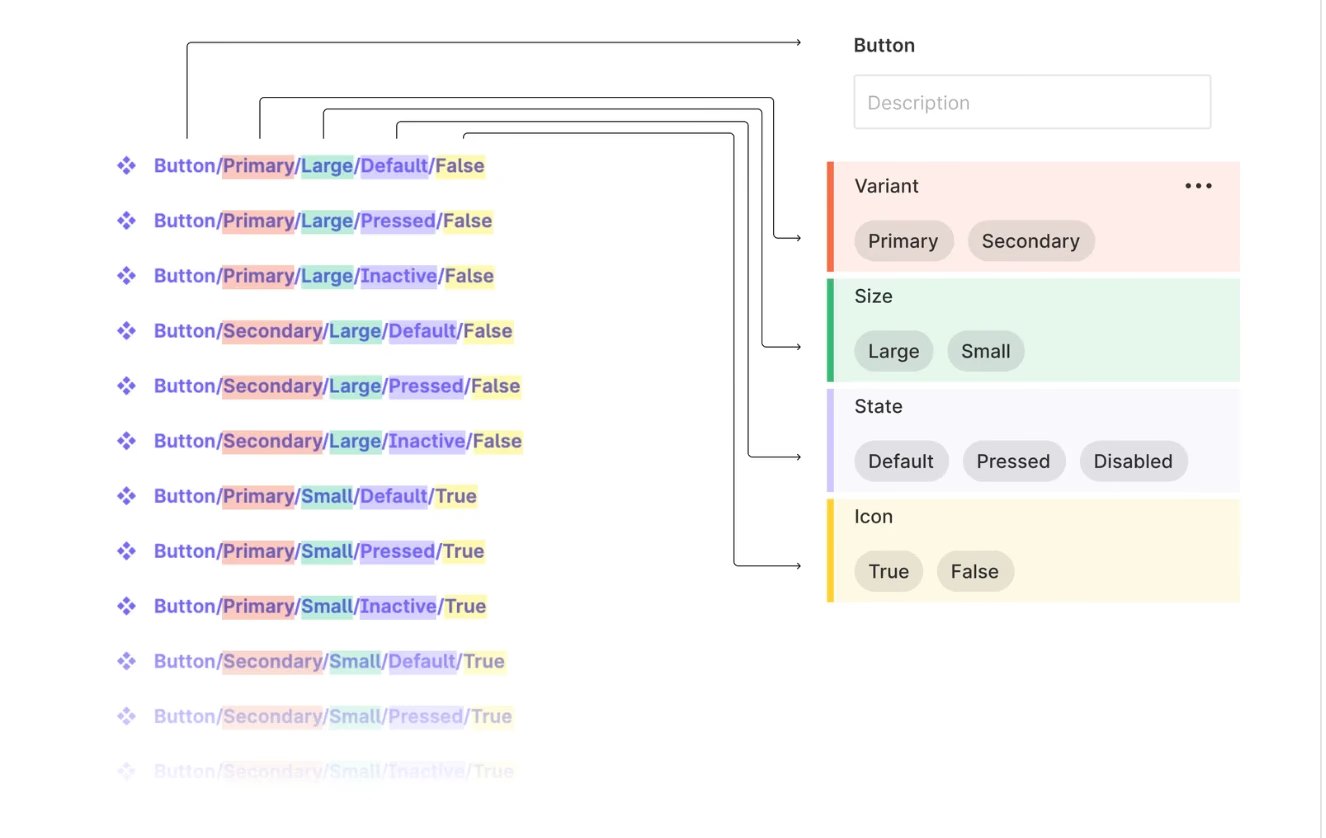
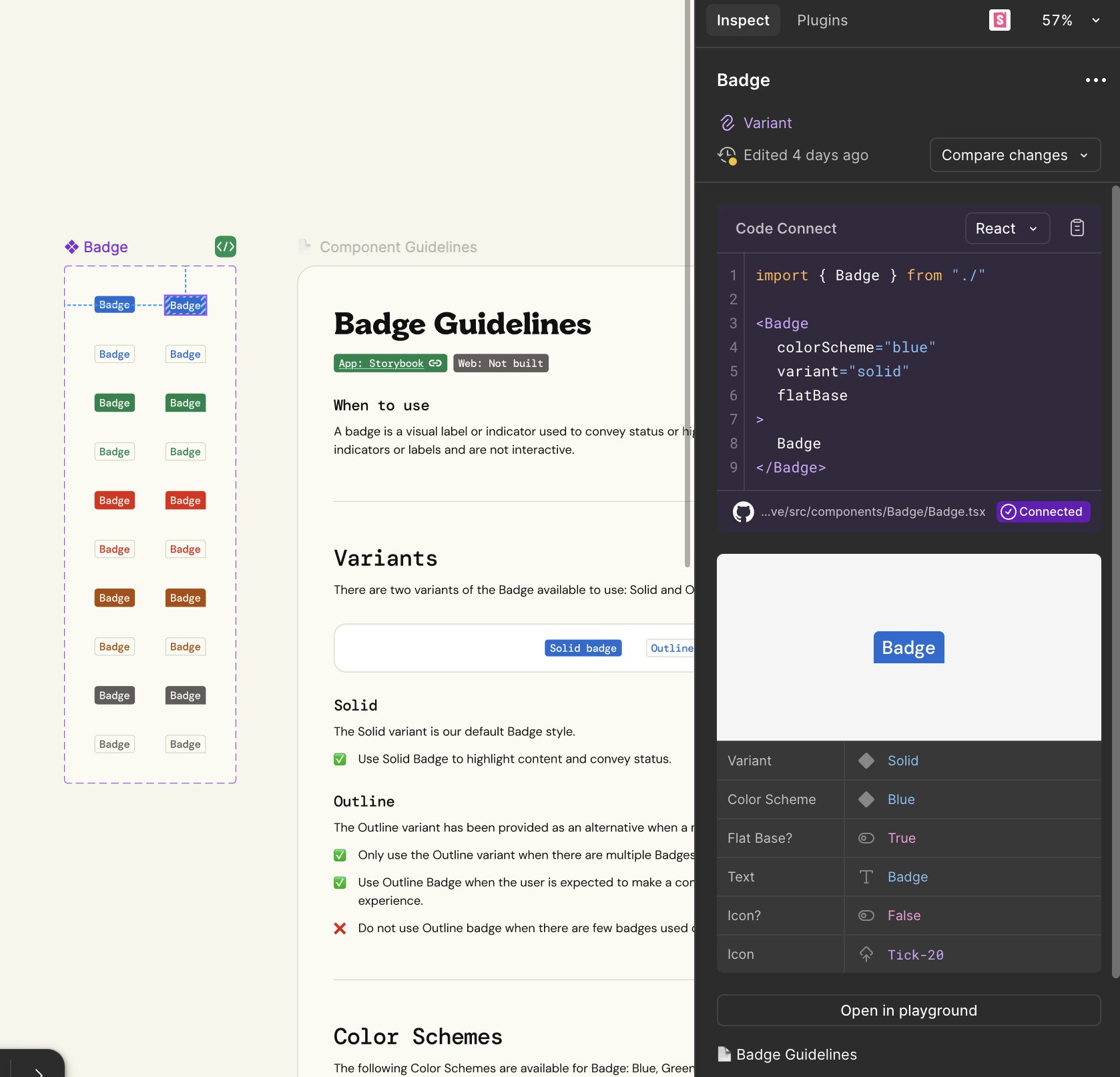
Designed reusable, flexible components with predictable naming conventions (e.g. Variant/ColourScheme/Size/State/Icon). This standardisation improved usability for designers and ensured consistency across Figma and Storybook.

Component naming convention: Variant / ColourScheme / Size / State / Icon

5. Documentation & adoption

Badge guidelines in Figma alongside the coded component in Storybook

04Results

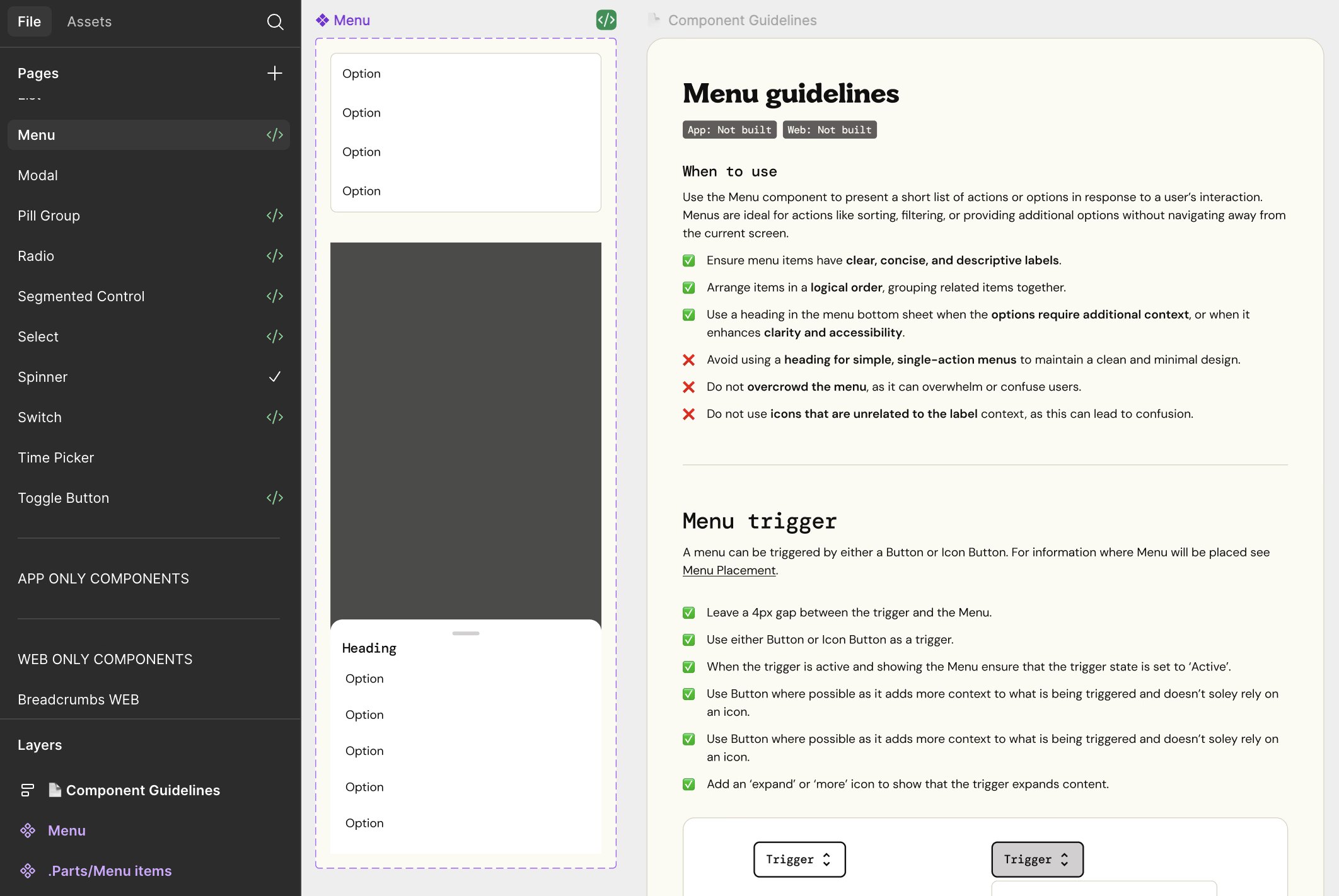
Menu component with its usage guidelines and documentation

05Dynamic component

To support a mobile-first approach, I designed components that adapt automatically to different breakpoints. Using Figma variables, components dynamically adjusted their properties according to the viewport — for example, a modal that shifts layout and spacing between mobile, tablet, and desktop.

This approach ensured consistency across devices while reducing the need for designers and developers to maintain multiple variants. It also future-proofed the system for scaling into new platforms with minimal extra effort.

06Dark mode & accessibility

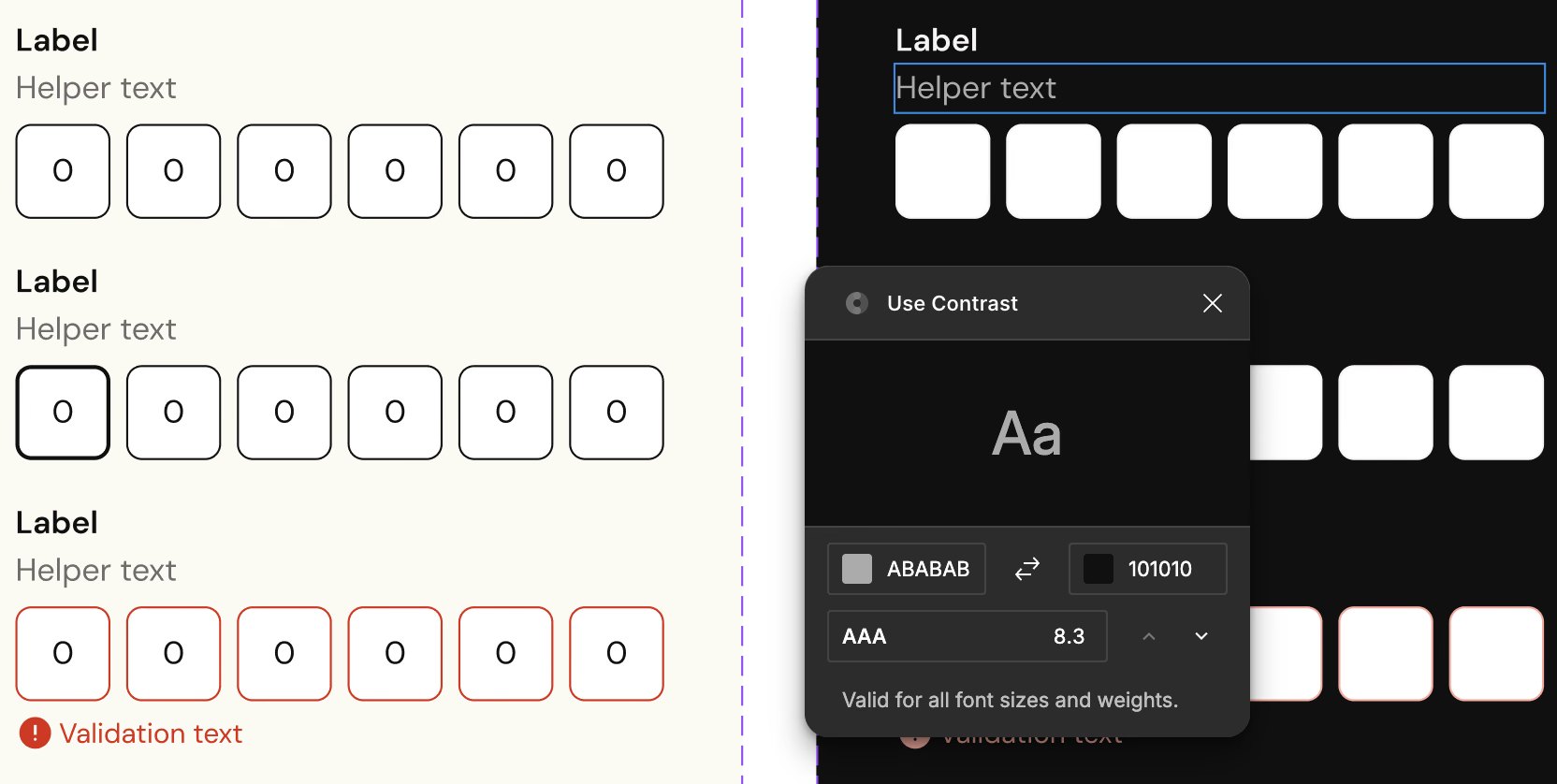
Accessibility and inclusivity were core principles in building the system. I introduced dark mode support using the same token-based architecture, ensuring colours adapted seamlessly across themes without creating extra component variants.

In parallel, I applied WCAG standards to colour contrast, typography, and interaction states, making the system accessible by default. This not only improved usability for all users but also reduced rework for designers and developers by embedding accessibility directly into the foundations.

Components in light and dark mode using the same tokens

07Outcome

Case study · Sopra Banking Software
Sopra Banking SoftwareB2B SaaSWeb

SaaS Design System

At Sopra Banking Software, as a Product Designer, I was responsible for designing and managing a scalable design system tailored for the B2B platform.

01Overview

The goal was to address inconsistencies, improve efficiency, and create a unified experience for complex user workflows in a professional banking environment.

02Problem statement

The B2B platform lacked a cohesive design approach, leading to inefficiencies in development and inconsistent user experiences. As the platform grew, the need for a scalable, centralised system to streamline design and engineering collaboration became critical.

03Product audit

I began by conducting a comprehensive audit of the existing platform, cataloguing UI components, design patterns, and user workflows. Partnered with stakeholders and developers to understand their perspectives.

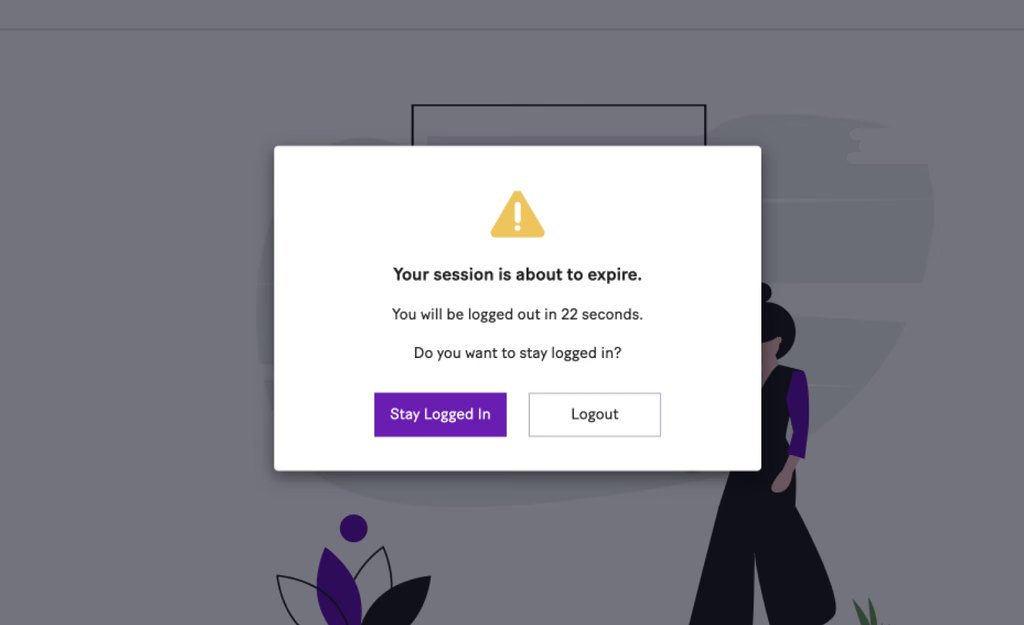
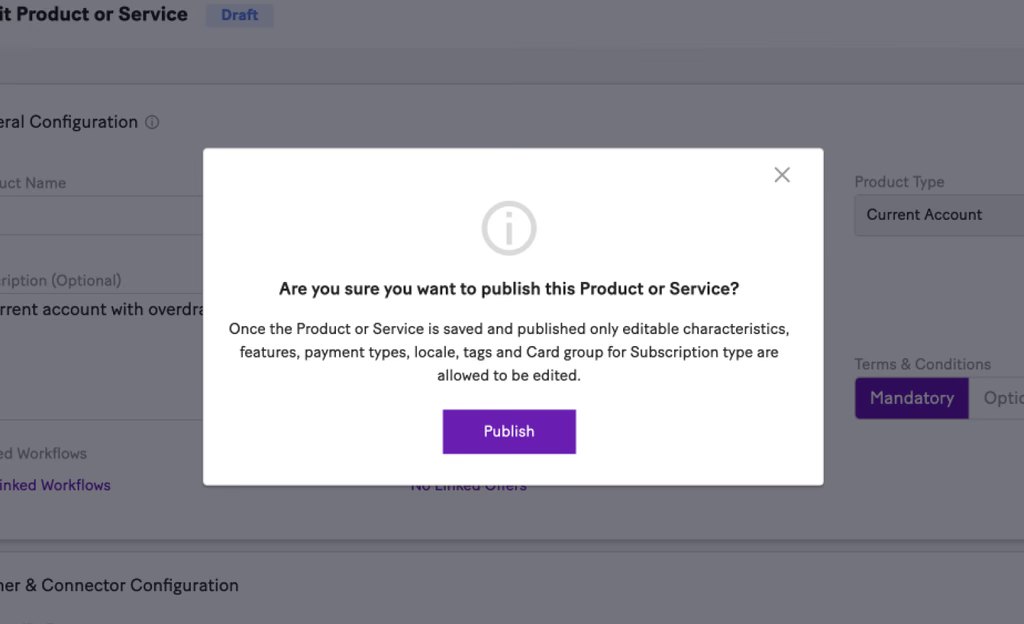
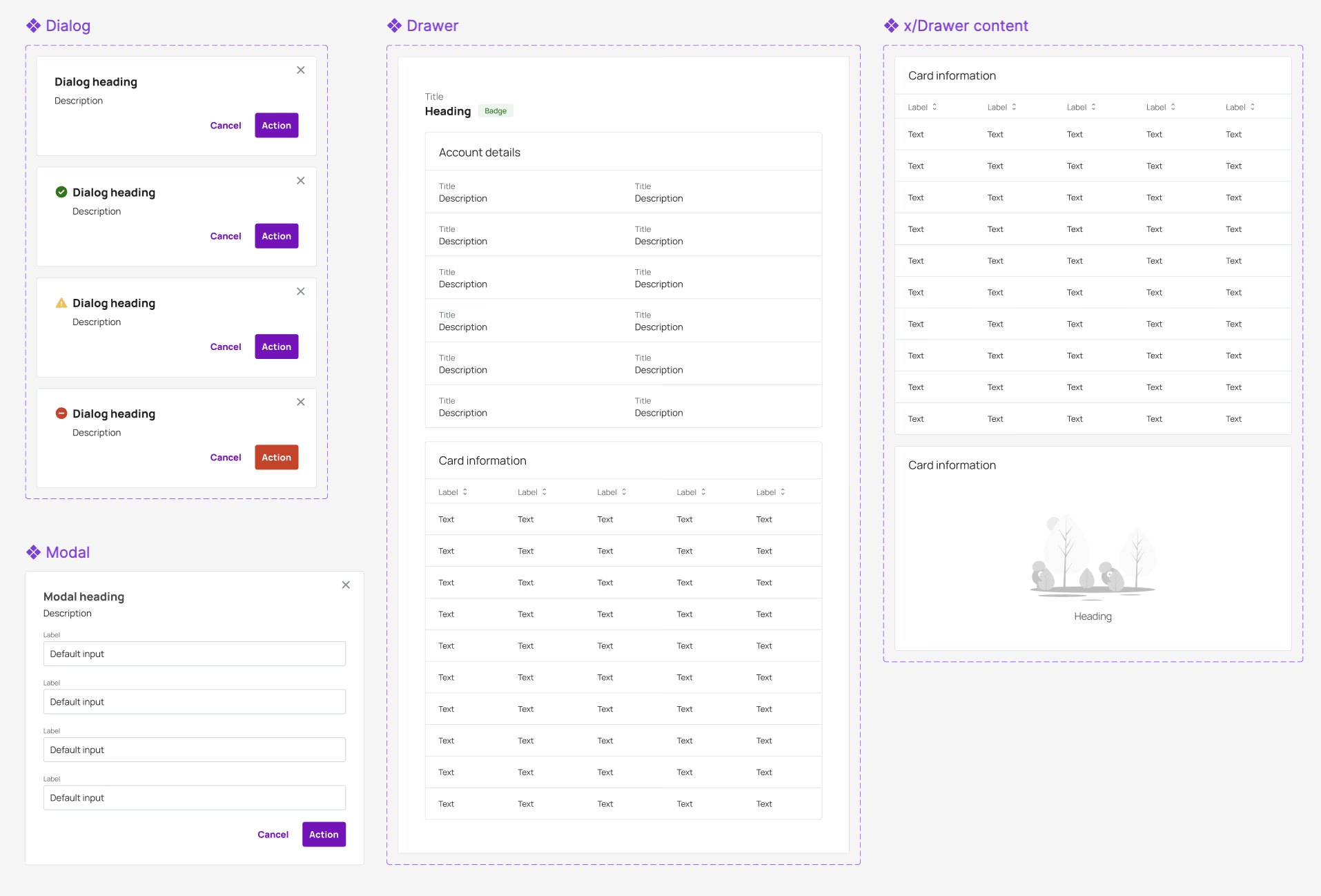
Product audit: inconsistent modal patterns, example 1
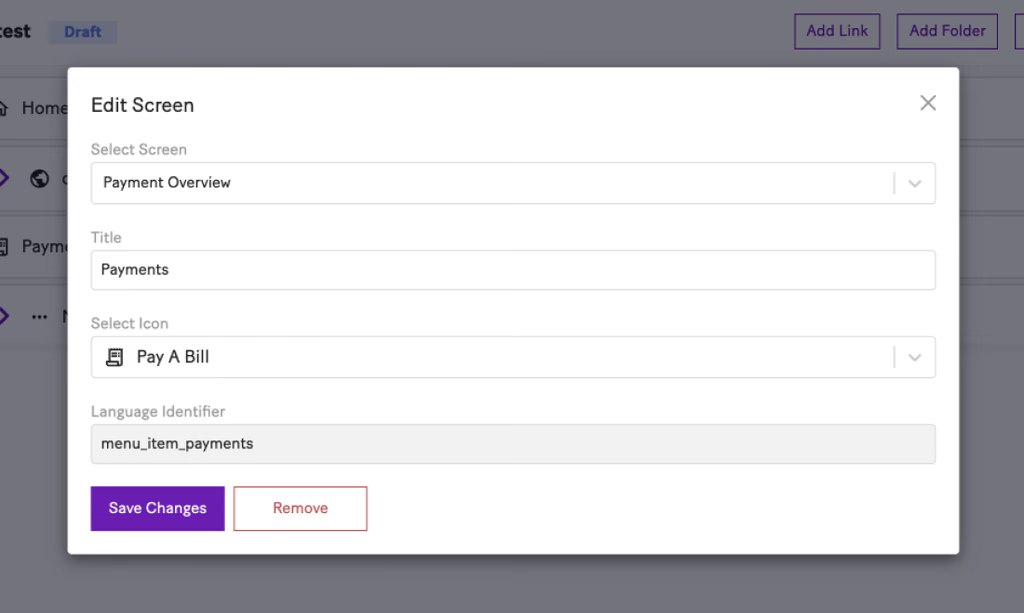
Product audit: inconsistent modal patterns, example 2
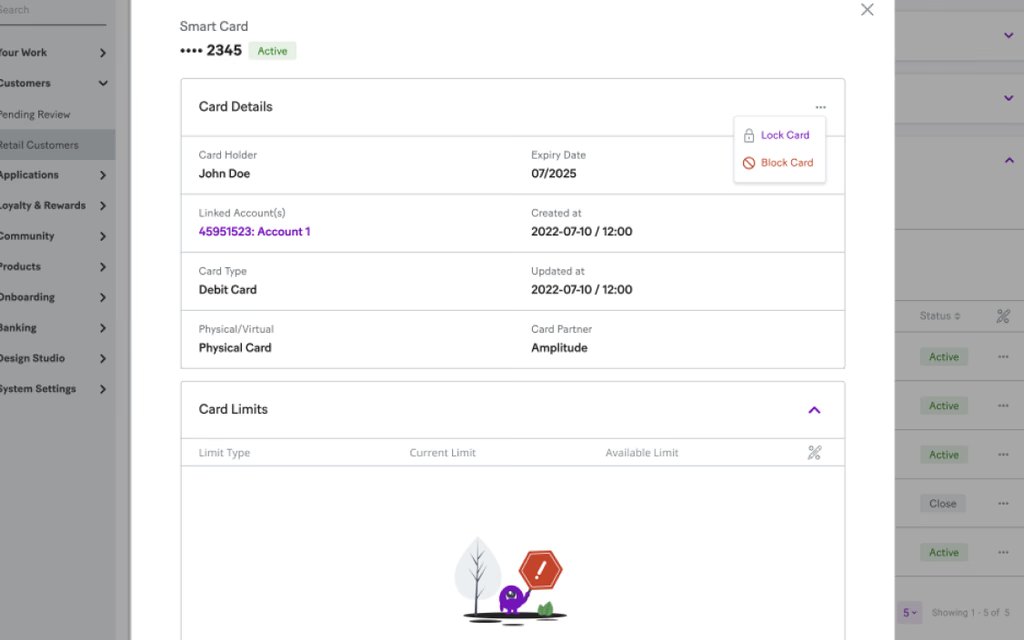
Product audit: inconsistent modal patterns, example 3
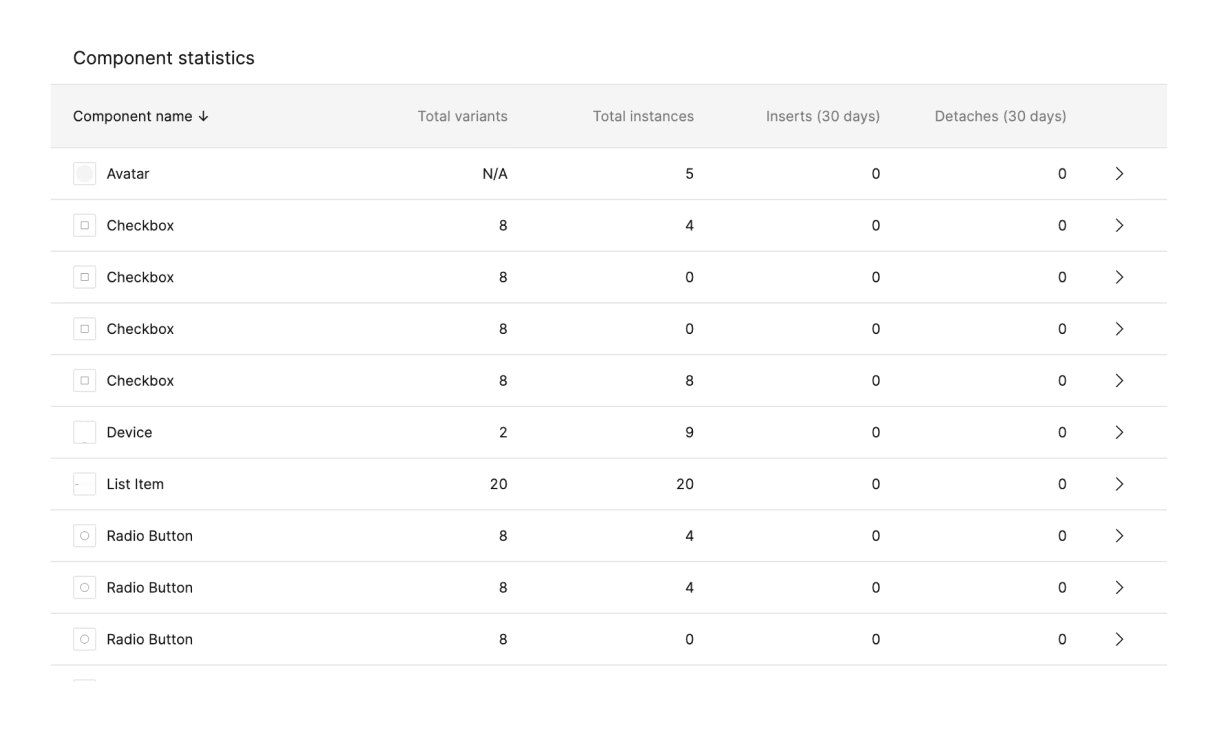
Product audit: inconsistent modal patterns, example 4

Modals are inconsistent throughout the platform; Patterns identified.

04Analysis

This audit highlighted redundancies and gaps, serving as the foundation for a streamlined design system. Industry analysis, best practice.

Analysis of redundancies, gaps and industry best practice

05Styles and variables

Standardised foundational design variables, including colour palettes, typography, and grid systems, to establish a cohesive visual framework.

Colour palettes, typography and grid variables

06Components

Using the defined variables and styles, I designed modular, reusable components optimised for B2B workflows.

Modular components for B2B workflows

07Documentation

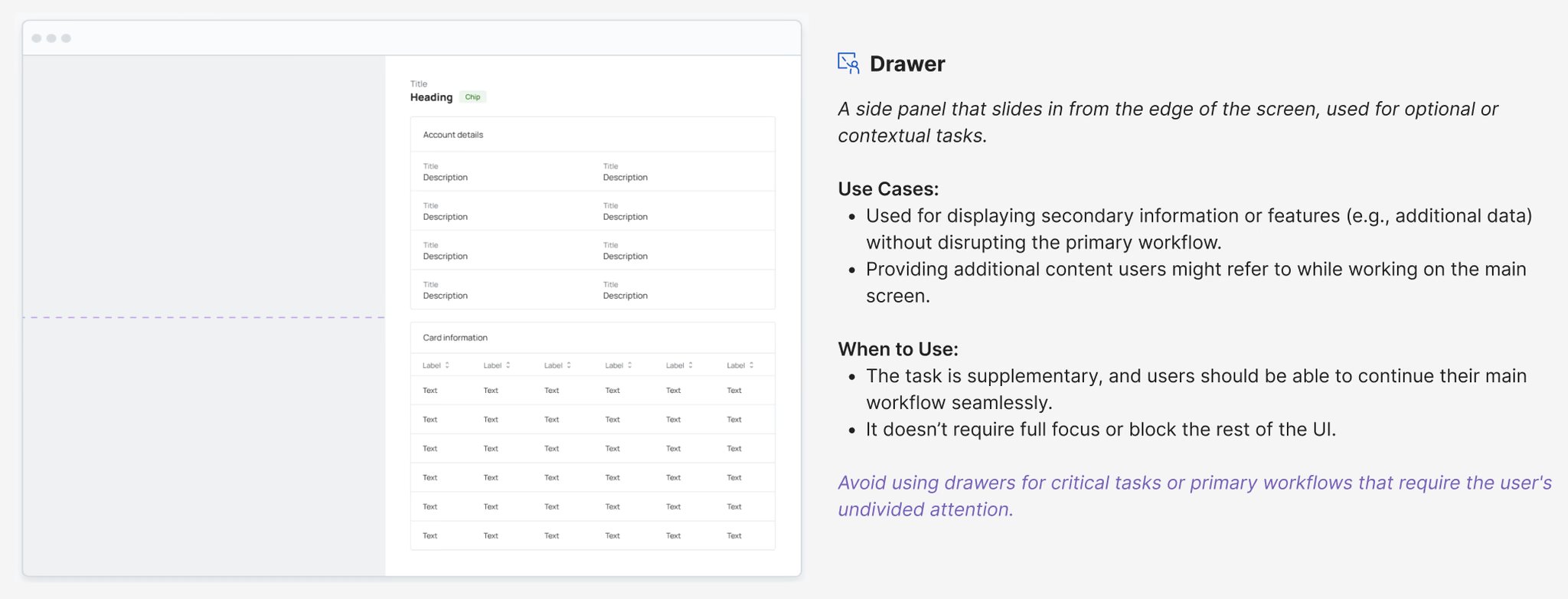
I developed documentation for the design system, detailing how components should be used.
I also encouraged team members to contribute by sharing their use cases or suggesting improvements.

Design system documentation showing component usage

08A11y

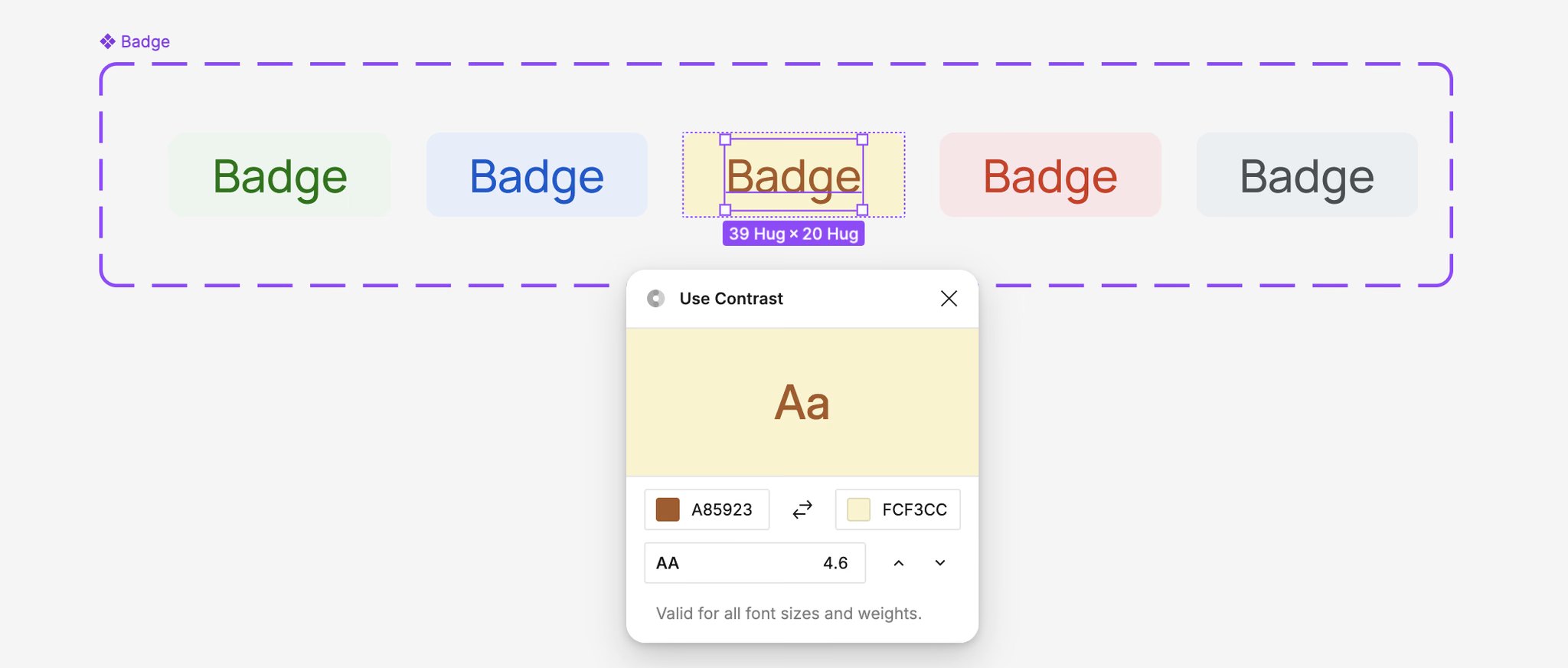
All components were created to meet WCAG 2.1 AA standards, ensuring sufficient colour contrast.

Colour contrast checks against WCAG 2.1 AA

09Testing

Conducted usability testing with iterative feedback loops, continuously refining components and styles to ensure the system effectively addressed real-world user needs.

10Collaboration

I worked closely with developers to ensure smooth integration of the design system into the platform. Facilitated collaborative workshops and design reviews to align stakeholders and proactively address gaps during implementation.

11Success metrics

Detachment of design instances was reduced by 80%, significantly improving Figma design specification consistency and accelerating delivery timelines. Development time decreased due to well-prepared documentation aligned with developers, eliminating ambiguities and assumptions.

Case study · Sopra Banking Software
Sopra Banking SoftwareBack officeWeb

KYC Verification

User-centric solution to streamline identity verification workflows.

01My Role and Contributions

As the product designer at Sopra Banking Software, I developed the KYC system from scratch, focusing on the needs of back-office bank employees. I conducted user research to identify workflow inefficiencies and pain points, creating wireframes and prototypes that iterated based on employee feedback to ensure intuitiveness and efficiency.

02Challenges

03Results and Insights

Investing in user-centric design for KYC processes leads to improved compliance and risk management while fostering a positive organisational culture centred around collaboration and innovation.

04Visuals and Prototypes

Try the verification workflow I designed for back-office staff. Open John Doe from the Pending Review queue, check his details and documents, verify each KYC step, then approve or reject his bank account. The workflow is rebuilt from my designs and uses sample data.

The Overview dashboard, the data-table features of the queue and the Risk & AML tab are a concept, marked as such. They show how I would extend the console for operations leads, with KPIs, SLA tracking and risk insight.

Step 1

◍ English ⌄John JS ⌄

05Conclusion

The KYC design process has transformed the verification workflow into a more intuitive experience for bank employees. By emphasising a user-centred approach, we have addressed key pain points, enhancing usability and streamlining operations. Continuous monitoring and updates will ensure the KYC process remains responsive to user needs and industry changes.